
Best Portable Power Stations for Home Backup (2026)
Last checked: October 29, 2026. Specifications come from each manufacturer’s own product or support page, linked below. We have not run our own tests on these units yet. When we do, this page will say so and show the results.
A portable power station is a big battery with an inverter and some sockets in one case. In a power cut it will keep a fridge, the router, phones, a few lights or a CPAP machine running. It will not run an electric oven, a heat pump or a whole house for long. If you go in with that in mind, it is one of the most useful things you can buy for outages.
This guide covers what to look at, which numbers actually matter, and five models that make sense for home backup at different sizes.
Start with what you need to power
Write down what you would want running during an outage and roughly how many watts each thing uses. Most appliances have a label on the back or underneath. A typical short list looks like this:
- Fridge-freezer: a few hundred watts while the compressor runs, but it cycles on and off. Across a day a modern model uses about 1 to 1.6 kWh (see our fridge runtime guide).
- Wi-Fi router and modem: usually 10–30 W.
- LED lights: 5–10 W each.
- Phones and laptops: 5–100 W while charging.
- CPAP machine: check the power supply rating, and whether you use the heated humidifier, which uses far more.
Add up the watts of everything you might run at the same time. That number has to stay under the station’s continuous AC output. Then estimate how many hours you need, which tells you how much capacity (watt-hours, Wh) you need. Our power station calculator does this sum for you.
The specifications that matter
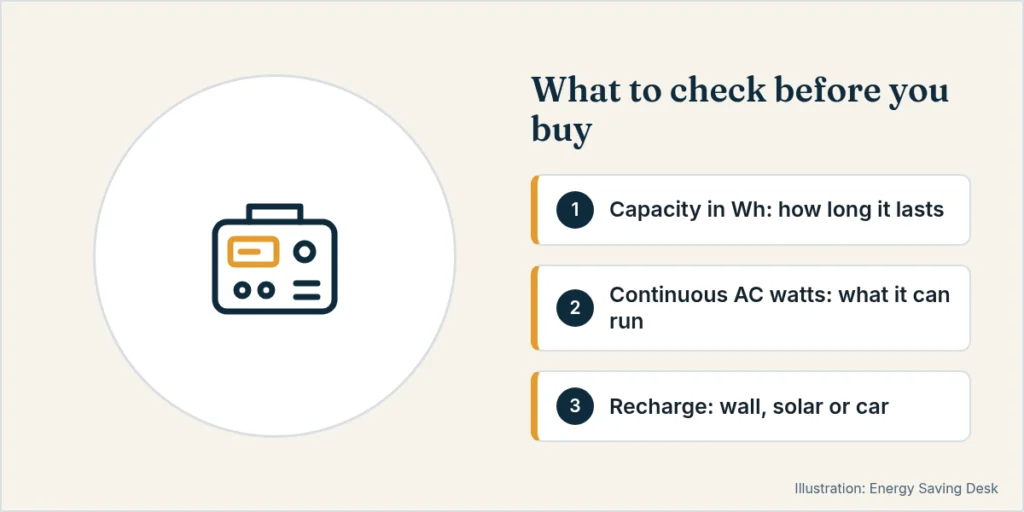
Capacity (Wh). This is how much energy the battery stores. You won’t get all of it as mains power. Converting battery DC to household AC loses some energy, and many units hold a small reserve, so plan on roughly 75–85% of the rated figure as usable AC energy. BLUETTI, for example, publishes its own runtime formula for the AC180 using 90% depth of discharge and 85% inverter efficiency, which works out at about 77%, plus around 15 W of self-consumption. Treat this as a rule of thumb; the real figure varies by model and load.
Continuous AC output (W). This is the most the inverter can supply at once, all the time. Surge (or “peak”) output is a short burst for motors starting up, such as a fridge compressor.
Battery chemistry. Every model below uses lithium iron phosphate (LiFePO4 or LFP). LFP lasts for thousands of charge cycles and is considered more thermally stable than older lithium-ion chemistries. Cycle ratings are quoted to different thresholds (some to 80% remaining capacity, some to 70%), so compare like with like.
UPS or pass-through switching. Some units can sit plugged into the wall with your devices plugged into them, and switch to battery within about 10–20 milliseconds when the grid drops. That is fast enough for most home electronics but is not the same as a true zero-gap UPS. Jackery, for example, says plainly that its 20 ms switchover is not suitable for servers or workstations that need an uninterrupted supply.
Recharging. Wall charging in about an hour is now common. Solar input matters if outages in your area can last more than a day.
Expandability. Some models accept an extra battery later. That is worth having if you think you might grow into a bigger setup.
Standby draw. An inverter uses power even when little is plugged in. Jackery lists the Explorer 2000 v2’s standby consumption as 18 W. Over 24 hours that is about 430 Wh, a meaningful slice of a 2 kWh battery. Switch the AC output off when you don’t need it.
Five models worth a look, by size
| Model | Capacity | Continuous AC (surge) | Solar input | Expandable | Cycle rating |
|---|---|---|---|---|---|
| Anker SOLIX C1000 Gen 2 | 1,024 Wh | 2,000 W (3,000 W) | 600 W | No | 4,000 to 80% |
| EcoFlow DELTA 3 Plus | 1,024 Wh | 1,800 W (3,600 W) | 1,000 W (2 × 500 W) | Yes, to about 5 kWh | 4,000 to 80% |
| BLUETTI AC180 | 1,152 Wh | 1,800 W (2,700 W lifting mode*) | 500 W | No | 3,500+ to 80% |
| Jackery Explorer 2000 v2 | 2,042 Wh | 2,200 W (4,400 W) | 400 W | No | 4,000 to 70% |
| EcoFlow DELTA Pro 3 | 4,096 Wh | 4,000 W | 2,600 W | Yes | see manufacturer |
*BLUETTI’s 2,700 W “Power Lifting” mode is for resistive heating loads such as kettles and heaters, not for compressors. US versions (120 V). Figures from manufacturer pages and support articles; UK/EU versions differ in voltage and sometimes in output.
Around 1 kWh: Anker SOLIX C1000 Gen 2 or EcoFlow DELTA 3 Plus
Both store 1,024 Wh, use LFP cells rated for 4,000 cycles to 80%, and switch over in under 10 ms. The Anker gives you more continuous output (2,000 W against 1,800 W), a lighter case (24.9 lb, per Anker) and very fast wall charging. Anker notes that the Gen 2 cannot take an extra battery. The EcoFlow accepts one Smart Extra Battery, up to about 5 kWh in total, and takes up to 1,000 W of solar across two inputs. If you think you’ll expand later, that is the deciding difference.
A 1 kWh unit will typically keep a modern fridge, a router and a few lights going for roughly half a day to most of a day, depending on the fridge. It handles shorter outages well, but not a multi-day storm unless you can recharge.
BLUETTI AC180
It has slightly more capacity (1,152 Wh) and 1,800 W of output. It cannot add capacity directly (BLUETTI says its B-series batteries can only top it up in a “power bank” mode), and its cycle rating is a little lower (3,500+ to 80%). BLUETTI also notes that its higher 2,700 W mode is for heating appliances only, not fridges or air conditioners. It is a reasonable choice if you find it at a good price and don’t need to expand.
Around 2 kWh: Jackery Explorer 2000 v2
Twice the energy of the 1 kWh class, 2,200 W continuous and a high 4,400 W surge, which helps with motor loads. Solar input is modest at 400 W, so a full solar recharge takes most of a sunny day. Its cycle rating is quoted to 70% remaining capacity, so it isn’t directly comparable to the 80% figures above. At about 17.9 kg it is still movable, but you won’t want to carry it far.
4 kWh and up: EcoFlow DELTA Pro 3
This is a different class: 4,096 Wh, 4,000 W of output and a large solar input, and it can be expanded with extra batteries. At around 113 lb it is on wheels for a reason. It makes sense if you want to run more of the house, or connect through a transfer switch or inlet installed by an electrician. For a fridge and the internet it is more than you need.
How we chose these
We picked widely available LFP models from established brands with clear published specifications, at three sizes that match common backup needs. We compared them on paper only. Independent lab tests from publications such as Consumer Reports, Wirecutter and OutdoorGearLab are worth reading alongside this page. Where their measured results differ from the spec sheet, trust the measurements.
Safety notes
- Never connect a power station to your home wiring by plugging it into a wall socket (“back-feeding”). Use extension leads to individual appliances, or have an electrician fit a proper inlet and transfer switch.
- Keep it indoors, dry and ventilated. Unlike a fuel generator it produces no exhaust, which is why it can be used inside.
- Top it up every few months if it sits unused. Check the storage advice in the manual.
Related guides
- EcoFlow DELTA 3 Plus vs Anker SOLIX C1000 Gen 2
- Portable power station vs generator
- Best power station for a CPAP machine
More guides in Power Stations & Portable Power.
Sources
- Anker SOLIX C1000 Gen 2 product page: https://www.ankersolix.com/products/c1000-gen2
- EcoFlow DELTA 3 series page: https://www.ecoflow.com/us/delta-3-series-portable-power-station
- EcoFlow DELTA 3 Plus FAQ (expansion): https://www.ecoflow.com/ca/blog/ecoflow-delta-3-plus-faq
- Jackery Explorer 2000 v2 product page: https://www.jackery.com/products/jackery-explorer-2000-v2-portable-power-station
- Jackery Explorer 2000 v2 basic information (standby draw, UPS note): https://faq.jackery.com/hc/en-us/articles/52303644507803-Explorer-2000-V2-Basic-Information
- BLUETTI AC180 product page and FAQ: https://www.bluettipower.com/products/ac180
- EcoFlow DELTA Pro 3 figures: manufacturer product page (ecoflow.com). Re-check before publishing.
- U.S. Department of Energy, refrigerator energy use: https://www.energy.gov/cmei/femp/purchasing-energy-efficient-residential-refrigerators