Best Home Energy Monitors in 2026: Which Type Do You Need?
Last checked: November 10, 2026. Based on manufacturer specifications and prices at that date; we haven’t tested these monitors ourselves.
An energy monitor won’t save you anything by itself. It shows you where the power goes: the always-on loads, the second fridge, the heat pump’s backup heater. Then you decide what to change. The right monitor depends on how much detail you want and how comfortable you are with your consumer unit or panel.
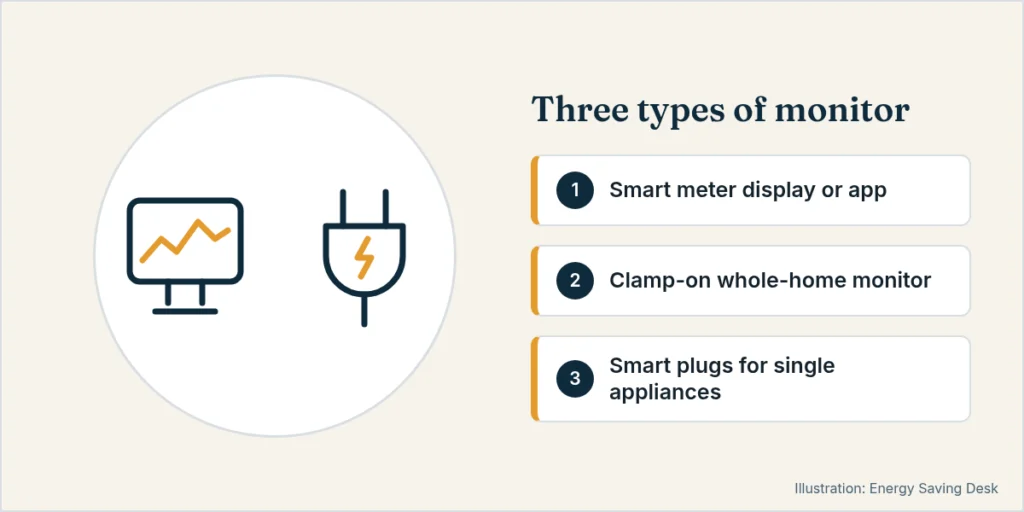
Four types, from simplest to most detailed
1. Your smart meter (free)
If you’re in Great Britain and have a smart meter, your consumption data already exists. Free apps such as Loop can read it and show half-hourly use and costs. It’s the best starting point. It costs nothing and needs no installation, though it shows the whole house rather than individual circuits. Many US utilities offer similar usage data in their apps.
2. Plug-in energy meters (cheap)
A meter between the socket and one appliance shows exactly what that appliance uses. It’s ideal for finding standby waste or checking a fridge or CPAP. Smart plugs with metering do the same with an app. Once you know the watts, our appliance running cost calculator turns them into a cost per day and per year.
3. Whole-home clamp monitors
A sensor clamps around the mains cable and reports in real time.
- Shelly EM Gen3 (about £56 in the UK, with two current-transformer channels) and Shelly Pro 3EM (about £125, for three-phase or several circuits) are popular with Home Assistant users. They’re compact DIN-rail or in-panel devices with local control.
- Sense used two clamps on the mains and tried to identify devices by their electrical “signature”. Detection was clever but not perfect — some devices took months to appear, others never did. Sense ended new panel-monitor sales by 31 December 2025 (existing units stay supported). The company says the technology is being built into next-generation utility smart meters, so it is not a current product to buy for a new panel install.
4. Circuit-level monitors (most detail)
- Emporia Vue 3 measures the mains plus up to 16 individual circuits with its own clamps, so you see the heat pump, EV charger, oven and so on separately. It connects over Wi-Fi or Ethernet. US 16-sensor kits are about $200; the US flexible-mains kit with circuit sensors is about $280. UK street prices vary by whether branch sensors are included — check a current listing before you buy.
Comparison
| Monitor | Detail level | Install | Approx. price (Nov 2026) |
|---|---|---|---|
| Smart meter + Loop (GB) | Whole home, half-hourly | None | Free |
| Plug-in meter | One appliance | Plug in | Low |
| Shelly EM Gen3 | Whole home or 1–2 circuits | Electrician recommended | about £56 |
| Sense | Whole home + device detection | Electrician recommended | no longer sold by Sense (sales ended by 31 Dec 2025) |
| Emporia Vue 3 | Whole home + up to 16 circuits | Electrician recommended | about $200–280 in the US, depending on the sensor kit |
Safety note
Clamp sensors don’t need any wires disconnected, but fitting them means opening your consumer unit or panel, which exposes live parts. In the UK and US alike, have a qualified electrician do it unless you’re qualified yourself.
What to do with the data
- Find the baseload: the lowest overnight draw. If it’s higher than you expected, it’s worth investigating.
- Check big loads against your tariff’s cheap hours (EV, dishwasher, heat pump dryer).
- Track a heat pump’s real-world consumption to see whether controls changes help (see smart thermostats for heat pumps).
Worked example: what finding a baseload is worth
Say your lowest overnight draw is 150 W. Over a year that’s 150 W × 8,760 hours ≈ 1,314 kWh, about £346 at the UK capped rate of 26.32p/kWh or about $239 at the U.S. average of 18.16¢ (EIA, August 2026).
If the data helps you cut 50 W, such as an old second fridge or equipment left on all the time, that saves about 438 kWh a year: about £115 or $80. At those numbers a £56 Shelly pays for itself within a year. A more expensive circuit-level kit takes longer. If you find nothing worth changing, the free smart meter app was all you needed.
Who doesn’t need a paid monitor
- Anyone in Great Britain with a working smart meter who just wants whole-home use. Start with a free app.
- Anyone chasing a single appliance. A plug-in meter is cheaper and more accurate for that.
- Renters who can’t get permission to open the consumer unit.
- People who won’t look at the data after the first month. A monitor only saves money if you act on what it shows.
Honest drawbacks: Sense-style device detection is imperfect. Most clamp monitors need an electrician to fit. And app-based monitors depend on the maker’s cloud, so prefer local control (as Shelly offers) if long-term access matters to you.
Choosing in three questions
- Do you have smart meter data? If yes, start with a free app for a month before buying anything.
- Is the question about one appliance or the whole house? One appliance means a plug-in meter. Big hard-wired loads (heat pump, EV charger, oven) mean a circuit-level monitor.
- Do you use, or want, home automation? If yes, a local-control device such as Shelly can also trigger other devices, for example running a load when your solar panels have a surplus.
Related
More guides in Smart Energy & Monitoring.
Sources
- Emporia Vue 3 (specs): https://www.emporiaenergy.com/energy-monitors/
- Sense, support for Sense home energy monitors (new panel-monitor sales ended 31 December 2025; existing units stay supported): https://help.sense.com/hc/en-us/articles/46109574810131-Support-For-Sense-Home-Energy-Monitors
- Shelly EM Gen3 (two current-transformer channels): https://www.shelly.com/products/shelly-em-gen3
- Shelly Store UK, EM Gen3 and Pro 3EM prices (10 November 2026): https://shellystore.co.uk/product/shelly-em-gen3/ and https://shellystore.co.uk/product-category/energy-monitoring/
- Emporia shop, Vue 3 16-sensor kit ($199.99) and flexible-sensor kit ($279.99): https://shop.emporiaenergy.com/products/emporia-vue-3 and https://shop.emporiaenergy.com/products/vue-3-with-flexible-sensors
- Loop smart meter app (free) and usage-data update note (half-hourly meter data): https://www.loop.homes/ and https://kb.loop.homes/knowledge/how-often-does-my-energy-usage-data-update
- U.S. EIA, Electric Power Monthly, Table 5.3 (U.S. average residential price 18.16¢/kWh, August 2026; released October 23, 2026; next release November 24, 2026): https://www.eia.gov/electricity/monthly/epm_table_grapher.php?t=table_5_03